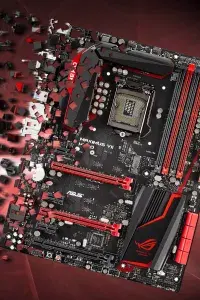
What a hardware ID ban is
When an anticheat bans you, it can ban the account, the machine or both. A hardware ban stores a fingerprint of your PC and refuses to launch the game on anything that matches it. You can register a new account, install the game again and still get a message at the main menu, because the match is made on the hardware and not on your login. A spoofer exists for exactly that case: it changes what the PC reports about itself. It does not break the anticheat or edit the game, it only masks HWID values so the machine no longer matches the stored record.
The typical sequence is simple. You get banned, make a new account, and the game flags it within minutes or on the first match, because the hardware record was waiting. After that a player either changes parts, which is expensive, or masks the values with a spoofer.
Which games fingerprint your PC
The list grows every year. Valorant with Vanguard, Call of Duty with Ricochet, Fortnite and many others on EasyAntiCheat, PUBG, Escape from Tarkov, Battlefield 6 with EA JAVELIN, Arc Raiders with Denuvo and Dead by Daylight with BHVR all keep records of the machine. Faceit does the same for its competitive client. In short, any game where a ban should survive a new account probably looks at your hardware. Some of them also keep the record for years, so waiting out a ban on a new account does not always help.
Temporary or permanent
A temporary spoofer changes the reported values for one session. You start it before the game, and a reboot returns everything to the real values. It leaves little behind on the disk, but you run it every time. A permanent spoofer writes new values into the registry or firmware variables and they stay after a restart. It is convenient and also harder to undo, so it suits people who are sure they want a lasting change. Neither type fixes a ban on the account itself, only the link between that account and your machine.
Why kernel level matters
Modern anticheats don't ask Windows politely. They run their own drivers and query the hardware directly, then compare the answer with what WMI reports. A spoofer working only in user mode will be contradicted by those checks. A kernel driver sits at the same depth as the anticheat, intercepts the queries and returns consistent substitute values. The same depth is what makes a bad spoofer dangerous, which is why we cover safety on this page.
How to choose
Start with the anticheat, not the brand. Open the spoofer's page and check that your game and its anticheat are listed, then read the status, which shows whether it works after the latest game and Windows update. Next decide between a session and a permanent change. Finally look at the system requirements: Windows version, Secure Boot, TPM and the CPU vendor all change what a given spoofer can do. If two products fit, take the one with the more recent update date, and read what the page says about reboots and drivers that need to be removed afterward.