
KmBox NET input device
- Мышь
- Ethernet
- Аим
KmBox NET is the piece that makes aim work in a DMA setup. In that kind of build the second machine sees the game and works out where to shoot, but it can't move the mouse on the gaming PC. KmBox NET solves exactly that: it plugs into the gaming PC by USB, shows up as an ordinary mouse, and takes movement and clicks over Ethernet from the second machine. You only need it for cheats with aim — ESP, radar and loot read the game and never touch input. Below: how it works, how it connects, when it's needed and how to get it.
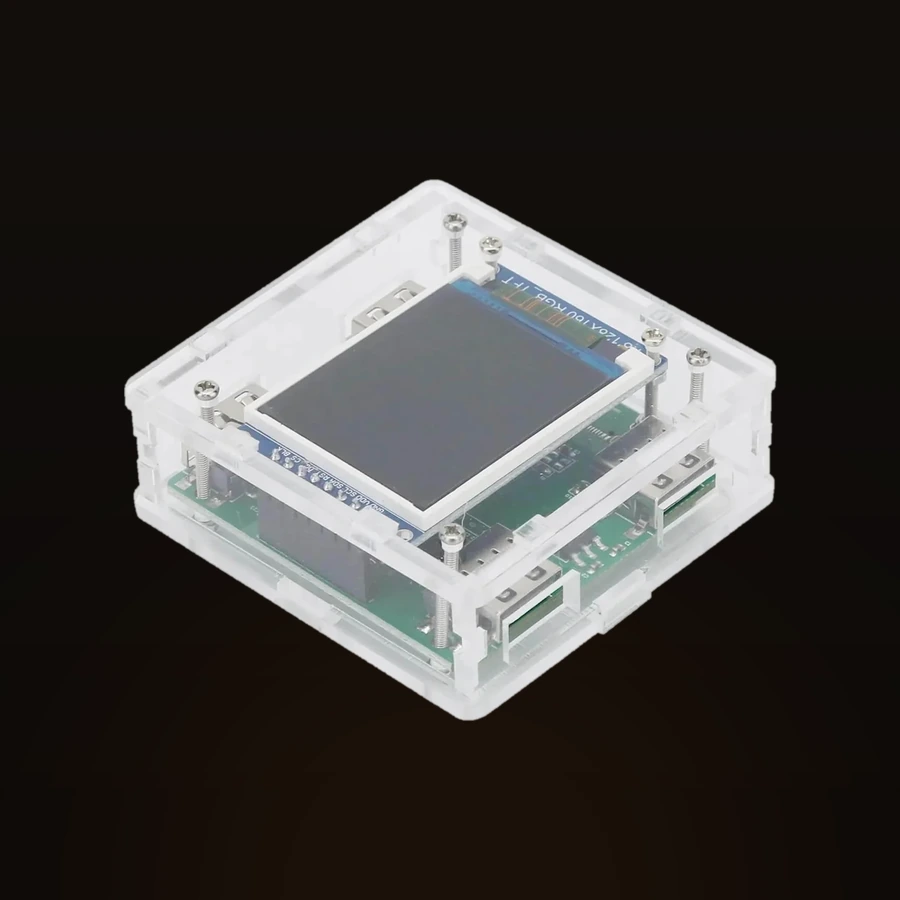
What’s in the box
- KmBox NET
- USB and Ethernet cables
- Connection guide
Specs and features
How it works4
- Connects to the second machine over Ethernet
- Passes movement and clicks to the gaming PC as an ordinary mouse
- Only cheats with an aim need it — ESP and radar do without
- The display on the case shows the connection state
Package contents2
- 1 × KmBox NET with display
- 2 × USB 2.0 cables
More about KmBox NET
How KmBox NET works
In a DMA setup the gaming PC runs the game while a second machine reads its memory and does the heavy lifting. The catch is input: the second machine knows where the crosshair should go, but it has no way to physically move the mouse inside the gaming PC. Software that tried would be caught by the anti-cheat.
KmBox NET sits between the two. It connects to the second machine over Ethernet and plugs into the gaming PC by USB, where the system reads it as a plain mouse. Movement and clicks worked out on the second machine arrive as real USB input — the crosshair moves on its own and aim lands. The display on the case shows the connection state, so you can see at a glance whether the link is up.
What's in the box and how it connects
The box holds the KmBox NET with its display and two USB 2.0 cables, plus a connection guide. USB goes to the gaming PC, the Ethernet link goes to the second machine where the cheat runs.
Once it's wired in, the gaming PC treats KmBox NET as an ordinary mouse — there's nothing to install on it and nothing extra to run. The display confirms the connection, and the guide walks through the order of plugging things in. If your cheat has aim, you point it at the KmBox and movement goes through the device instead of the system mouse.
When you need it
KmBox NET is only for aim. If your cheat moves the crosshair for you — aimbot, aim assist, target tracking — you need a way to put that movement into the gaming PC, and that's what the device does. Without it, aim worked out on the second machine has no path into the game.
If you only run ESP, a radar or a loot filter, you don't need KmBox NET. Those features read the game and draw on the screen; they never touch the mouse. It fits a standard DMA build and pairs with a DMA board and a second machine — check the cheat's page to see whether aim is part of it.
Delivery, warranty and support
Stock, the shipping method and timing, warranty terms and any setup questions are all handled in the DM — on Discord. Message before you pay: we confirm stock for your order and answer shipping and warranty for your case.
After the purchase, the same place is where we help you get KmBox NET connected and working with your setup.
Questions about buying
Why do I need a KmBox if the cheat already knows where to aim?
In a DMA setup the second machine works out the aim but can't move the mouse inside the gaming PC. KmBox NET feeds that movement in as a real USB mouse, so the crosshair actually moves. Without it, aim has nowhere to go.
Do I need it for ESP or radar?
No. ESP, radar and loot filters only read the game and draw on the screen — they don't touch input. KmBox NET is needed only when a cheat moves the crosshair for you.
How does it connect?
It plugs into the gaming PC by USB, where the system sees a normal mouse, and links to the second machine over Ethernet. The display on the case shows whether the connection is up. Two USB 2.0 cables and a connection guide are in the box.
How do I find out stock, delivery and warranty?
All of it is confirmed in the DM on Discord before you pay — stock, shipping method and timing, and warranty. After the purchase, the same place is where we help with setup.