
Fuser Dichen 6 gen
- HDMI
- 4K
- Оверлей
Fuser Dichen 6 gen is for anyone who's built a DMA setup and doesn't want a second monitor on the desk. The fuser takes the picture from the second machine, where the cheat runs, and lays it straight onto the gaming screen — ESP, radar and the menu sit on top of the game on a single monitor. It doesn't touch the game itself: the overlay runs as its own stream and no frames are lost. Below: what the fuser does, how to connect it, which resolutions it handles, and how stock and shipping work.
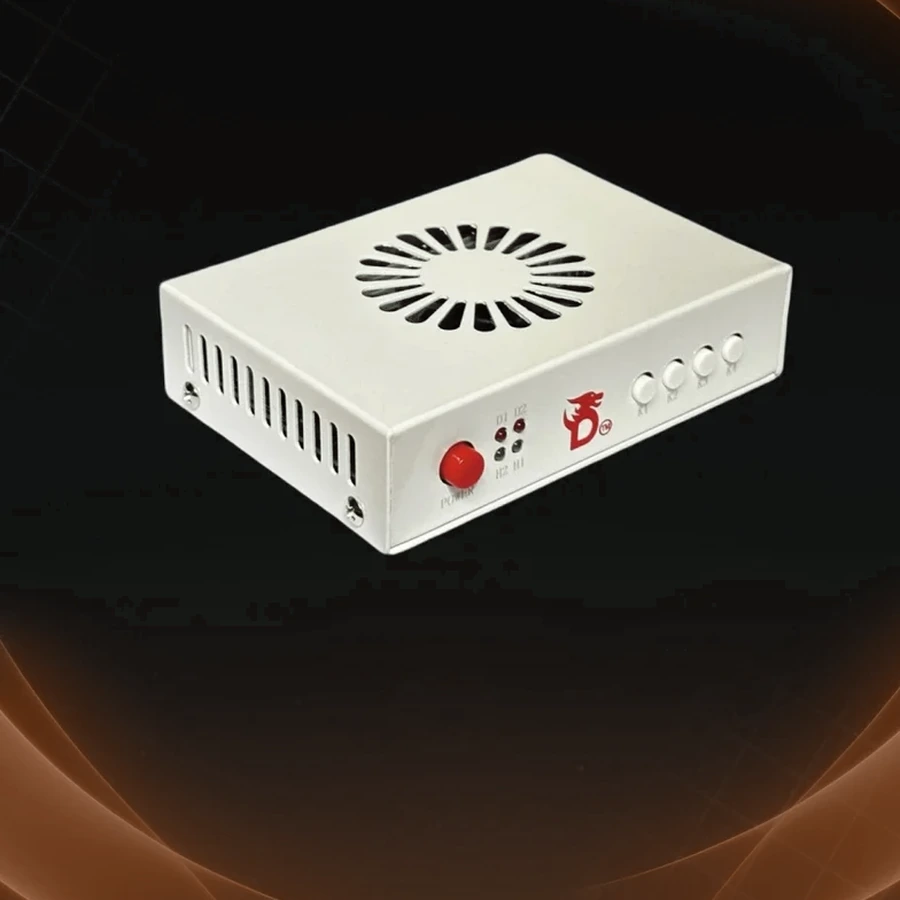
What’s in the box
- Dichen 6 gen fuser
- HDMI cables
- Power supply
Specs and features
Picture3
- Fusing and switching up to 3840×2160 at 60 Hz
- Backward compatible: 2560×1440 at 144 Hz, 1920×1080 at 240 Hz and below
- Overlay on top of the game with no frame loss
Setup3
- No configuration — plug it in and it works
- Lower latency than streaming the picture, with no stutter
- Comes straight from the factory with a warranty card
More about Fuser Dichen 6 gen
What a fuser does
In a DMA setup the cheat runs on the second machine, and its picture — ESP, radar, menu — has to go somewhere. The usual answer is a separate monitor next to the gaming one. A fuser removes that second screen: it merges two HDMI signals into one and lays the second machine's overlay straight on top of the game. You look at one monitor and see both the game and the overlay on it.
The game itself isn't affected. The overlay runs as its own stream, no frames are dropped and the picture doesn't stutter. Latency is lower than simply streaming the second machine's image to the gaming PC, so the game signal stays clean.
Connecting it
There's nothing to configure — plug it in and it works. The fuser sits between the gaming PC, the second machine and the monitor over HDMI, powered by the supply in the box. No drivers, no system settings: to the gaming PC it all looks like an ordinary monitor.
It ships as a complete set — the Dichen 6 gen fuser itself, HDMI cables and a power supply, nothing to buy separately. The unit comes straight from the factory with a warranty card in the box.
Resolutions and compatibility
The fuser runs over HDMI and handles fusing and switching up to 3840×2160 at 60 Hz. For higher refresh it's backward compatible: 2560×1440 at 144 Hz and 1920×1080 at 240 Hz and below — set the resolution and refresh your game is tuned for.
The fuser isn't tied to a specific cheat or board: it works with any DMA setup that outputs the overlay over HDMI. Your current monitor and cables don't change the mode you pick — the signal just has to run over HDMI.
Delivery, warranty and support
Stock, the shipping method and timing, warranty terms and any connection questions are all handled in the DM — on Discord. Message before you pay: we confirm stock and answer shipping and warranty for your specific case.
After the purchase, the same place is where we help you hook the fuser up and get the picture onto one monitor — that's part of the support.
Questions about buying
Do I still need a second monitor?
No — that's the whole point of the fuser. It lays the overlay from the second machine straight onto the gaming screen, so ESP, radar and the menu sit on top of the game on one monitor. The second screen can go.
Does the fuser affect the game or my FPS?
No. The overlay runs as its own stream, no frames are dropped and the picture doesn't stutter. Latency is also lower than streaming the second machine's image to the gaming PC.
Which resolutions and refresh rates does it handle?
Fusing and switching up to 3840×2160 at 60 Hz. For higher refresh it's backward compatible: 2560×1440 at 144 Hz and 1920×1080 at 240 Hz and below. All over HDMI.
How do I find out stock, shipping time and warranty?
All of it is confirmed in the DM — on Discord — before you pay, for your specific order: stock, shipping method and timing, and warranty terms. After the purchase, the same place is where we help you connect it.