
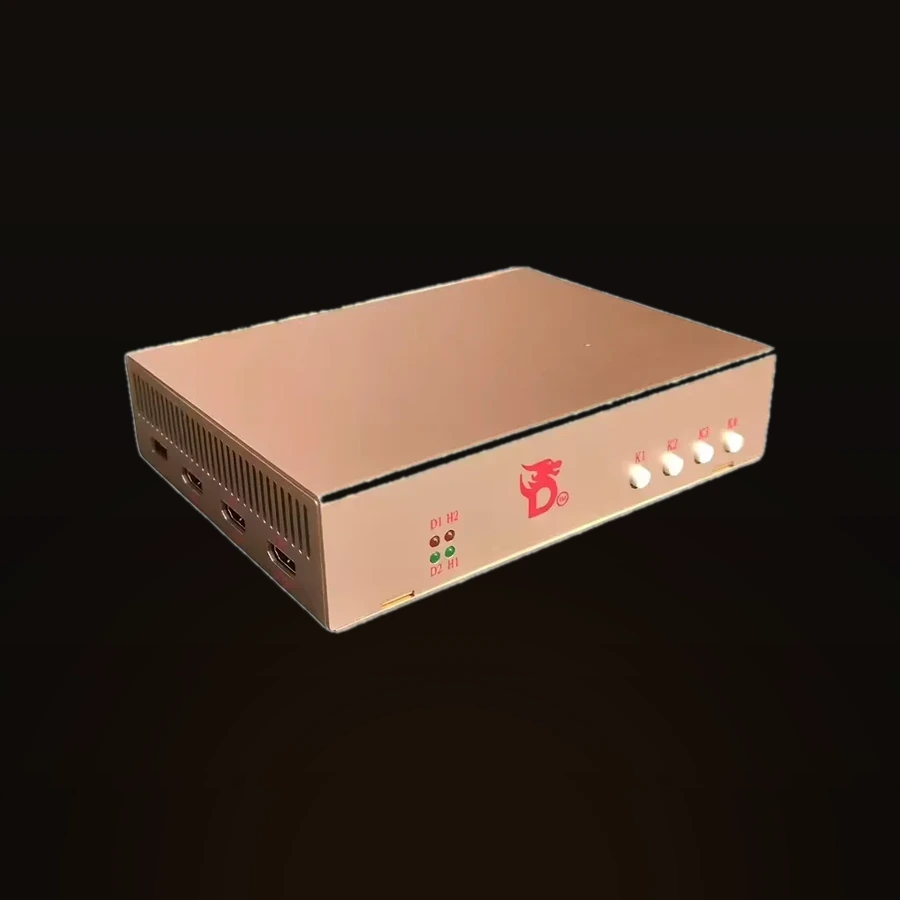
DC500 4K Fuser
- HDMI 2.1
- 4K
- 240 Гц
A fuser is a device that lays the picture from the second machine straight onto your gaming monitor. In a DMA setup the overlay — ESP, radar, loot — is drawn on the second machine, and you normally watch it on a separate screen. The DC500 removes that second monitor: it merges both images into one. The fuser sits between the graphics card and the monitor, passes the game through untouched and overlays the second machine's picture on top. It never touches the game and starts nothing on the gaming PC. Below: how it works, how to hook it up, and which resolutions and refresh rates it holds.
What’s in the box
- DC500 fuser
- Straight from the supplier
- Complete set
Specs and features
Hardware5
- PCB built from RTX 4090-class materials
- Original XILINX FPGA chips for image processing
- Both video layers output at native resolution with no compression
- In DP mode extreme refresh rates run at 6-bit — a protocol limit; the processing makes it look like 8-bit
- Dual-interface output — sharp and smooth at true frame rates
HDMI 2.1 mode7
- 1920×1080 @ 540 Hz
- 2560×1440 @ 355 Hz
- 3840×2160 @ 158 Hz
- Fully backward compatible, ultrawide supported
- GPU from GTX 3060 or RX 6500XT upward
- Monitor with HDMI 2.1 FRL (48 Gbps)
- Second machine — 6 threads or more
DP 1.4 mode6
- 1920×1080 @ 480 Hz
- 2560×1440 @ 320 Hz
- 3840×2160 @ 160 Hz
- Backward compatible, ultrawide supported
- GPU: Nvidia 10 series or AMD RX 500 and newer
- Second machine — 6 threads or more
Tested in practice2
- 4K @ 144 Hz · 2K @ 300 Hz · 1080p @ 480 Hz
- With AMD 6000 series GPUs and newer: 4K @ 160 Hz, 2K @ 360 Hz, 1080p @ 600 Hz
Firmware3
- Units shipped before 22 April 2025 carry the older version
- The update is free and fixes the known bugs
- Compatible with over 95% of modern displays
More about DC500 4K Fuser
How the DC500 4K Fuser works
In a DMA setup the overlay — ESP, radar, aim point — is worked out on the second machine. To see it, you either send that picture to a separate monitor or lay it over the game screen. The DC500 does the second: it combines the two images into one and feeds them to your monitor.
The fuser goes inline between the gaming PC's graphics card and the monitor. The game picture passes through unchanged, and the second machine's image sits on top of it. The fuser never reaches into the game and installs nothing on the gaming PC — it works with the finished video signal, so it affects neither performance nor detection.
Image processing runs on original XILINX FPGA chips, and the board is built from RTX 4090-class materials. Both layers output at native resolution with no compression, over two output interfaces, so the picture stays sharp and smooth at its real frame rate. Latency is lower than streaming the picture over the network, with no stutter.
Hooking it up and firmware
There is nothing to configure: the DC500 connects by cable and works right away — no drivers, no BIOS changes. The gaming PC's graphics card feeds into the fuser, the fuser feeds the monitor, and the second machine connects on its own output. The unit ships from the factory ready to run.
It takes both HDMI 2.1 and DisplayPort 1.4 — which input you use depends on your card and monitor. In DP mode, extreme refresh rates output at 6-bit: that is a limit of the protocol itself, and the processing brings the picture up to an 8-bit look.
Units shipped before 22 April 2025 carry the older firmware. The update is free and clears the known bugs; the fuser is compatible with over 95% of modern displays.
Resolutions, refresh rates and requirements
HDMI 2.1 mode: 1920×1080 up to 540 Hz, 2560×1440 up to 355 Hz, 3840×2160 up to 158 Hz. You need a GPU from GTX 3060 or RX 6500XT upward, a monitor with HDMI 2.1 FRL (48 Gbps) and a second machine with 6 threads or more.
DisplayPort 1.4 mode: 1920×1080 up to 480 Hz, 2560×1440 up to 320 Hz, 3840×2160 up to 160 Hz. You need an Nvidia 10-series or AMD RX 500 card or newer and a second machine with 6 threads or more.
Fully backward compatible, ultrawide supported. In practice the chain delivers 4K at 144 Hz, 2K at 300 Hz and 1080p at 480 Hz; with AMD 6000-series GPUs and newer, 4K at 160 Hz, 2K at 360 Hz and 1080p at 600 Hz.
Delivery, warranty and support
Stock, the shipping method and timing, warranty terms and any setup questions are all handled in the DM — on Discord. Message before you pay: we confirm stock and price and answer shipping and warranty for your specific case.
After the purchase, the same place is where we help you connect the fuser and get the picture merged — that is part of the support.
Questions about buying
Do I need a second monitor?
No — that is the whole point of a fuser. The DC500 lays the second machine's overlay straight onto your gaming monitor, so you see both images on one screen. No separate overlay monitor is needed.
Does the fuser affect the game, FPS or detection?
No. The DC500 works with the finished video signal between the graphics card and the monitor — it never reaches into the game and installs nothing on the gaming PC. Both layers run uncompressed with no frame loss, and latency is lower than streaming the picture over the network.
What resolutions and refresh rates does it hold?
Over HDMI 2.1 — up to 540 Hz at 1080p, 355 Hz at 2K and 158 Hz at 4K; over DisplayPort 1.4 — up to 480 Hz at 1080p, 320 Hz at 2K and 160 Hz at 4K. It is fully backward compatible and supports ultrawide. You need a monitor with HDMI 2.1 FRL (48 Gbps), a GPU from GTX 3060 / RX 6500XT and a second machine with 6 threads or more.
How do I find out stock, delivery and warranty?
All of it is confirmed in the DM — on Discord — before you pay, for your specific order: stock, price, shipping method and timing, and warranty terms. After the purchase, the same place is where we help with setup.