

хорошая сборка, доволен

DeveloperFecurity
FECURITY Delta Force Cheat
- Working
- Reliability: excellent
- 4.9 · 7 reviews
- Checked 17 September
FECURITY combines bone aim, box and skeleton ESP and loot highlighting. The hardware requirements are strict, so read them before buying.
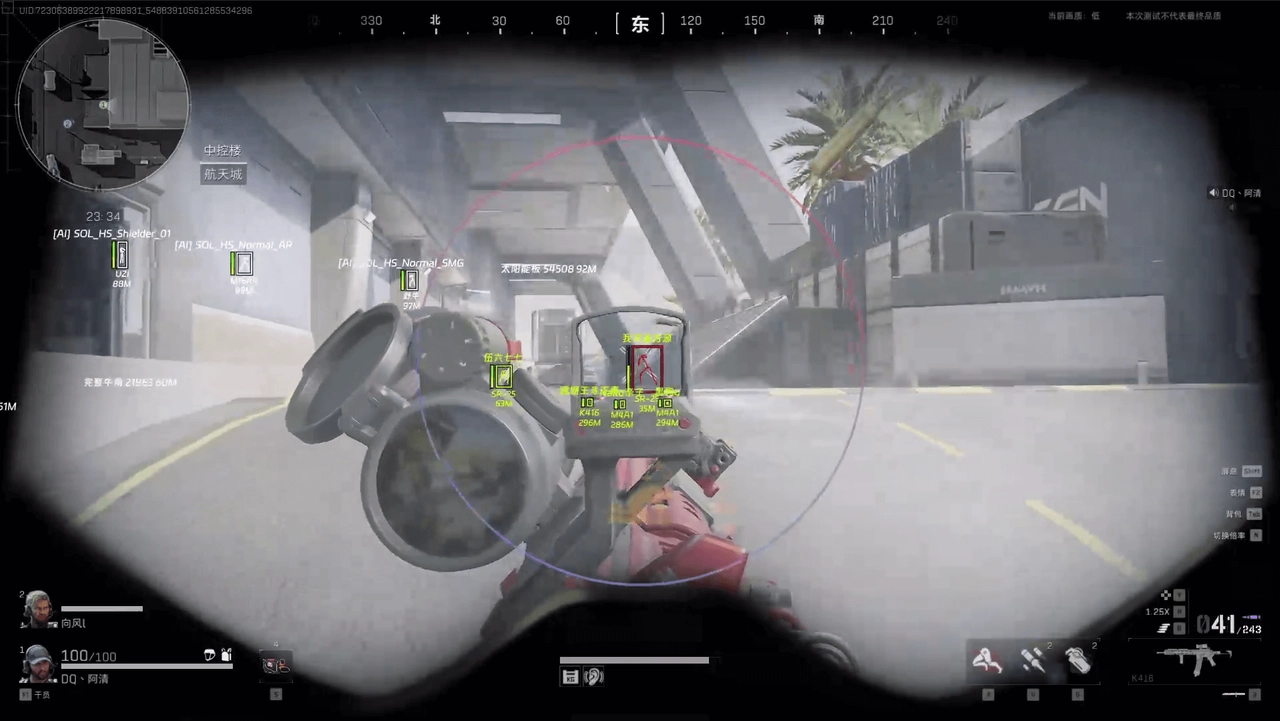 1 / 4
1 / 4
System requirements
- CPU
- Intel only (Xeon not supported)
- Game mode
- Windowed, Borderless, Fullscreen
- Game client
- Steam, Game launcher
- Disk format
- GPT
- Windows
- Windows 10 (2004, 20H2, 21H1, 21H2, 22H2), Windows 11
- BIOS
- Disable Secure Boot and TPM. Your BIOS must be in UEFI mode.
What FECURITY can do
Aimbot7
- Enable
- Visible Only
- Enemies Only
- Show FOV
- Prediction
FOV
- Delayed Targeting
- Random Dice
ESP8
- Enemies Only
- Boxes
- Box Outline
- Health
- Skeleton
- Loot
- Vehicle
- Color
More about FECURITY
How FECURITY differs from other Delta Force builds
Open your BIOS before buying, because FECURITY has concrete system requirements. You need:
- an Intel CPU only, Xeon is not supported;
- Secure Boot and TPM disabled;
- BIOS in UEFI mode and a GPT disk;
- Windows 10 (2004, 20H2, 21H1, 21H2, 22H2) or Windows 11.
The functions are bone aim, boxes, skeletons and loot highlighting. Windowed, frameless and fullscreen modes work, with the Steam client or the game launcher. No radar or spoofer is listed.
FECURITY reviews
4.97 reviews
Loot/vehicle track solid
sorunsuz çalışıyor, tekrar alırım
reliable build, buying again
работает стабильно, беру ещё
stable so far, happy with it
her şey yolunda, uzattım
Questions about buying
What can FECURITY do in Delta Force?
Bone aim, box and skeleton ESP, and loot highlighting. The card lists no radar, spoofer or other functions.
What BIOS and hardware requirements does FECURITY have?
Intel CPUs only, Xeon does not work. Secure Boot and TPM off, BIOS in UEFI format, disk in GPT.
Which modes and client does FECURITY work with?
Windowed, frameless and fullscreen modes, with the Steam client or the game launcher. Windows 10 or 11.